The new site is live. It took a week of rebuilding with AI, and a few changes of plan along the way. Here's the video version, or read on for the short story.
 Play video
A bit of context: I spent seven years as a product manager, and I don't really know how to code. For the past three years, though, I've been building projects with AI, and this site is one of them.
What wasn't working
The old site had been up for over a year. I still liked it, but a few things bothered me:
- The hero. I was tired of the background effect. I wanted myself in the design, with more personality.
- The projects. A project wall plus a featured section, but you still had to click through to learn anything, and the loading didn't look great.
- The services. They listed my skills, but a client without a technical background might still wonder what I could actually do for them.
- Missing pieces. I wanted a blog and an email signup.
So the plan was: settle on the look, rethink projects and services, then add the new features.
Finding the look
I started by collecting references: sites, images, layouts, anything that caught my eye. One thing I wanted to try was a realistic character. Plenty of sites use cartoon 3D characters; I wanted to see what else AI could do.
I tried a few concepts: a 3D cartoon version of me, me sitting in water, me on a plain background, an overhead shot surrounded by mirrors. The mirrors looked great as a still, but all those reflections would make the character hard to keep consistent once it moved.
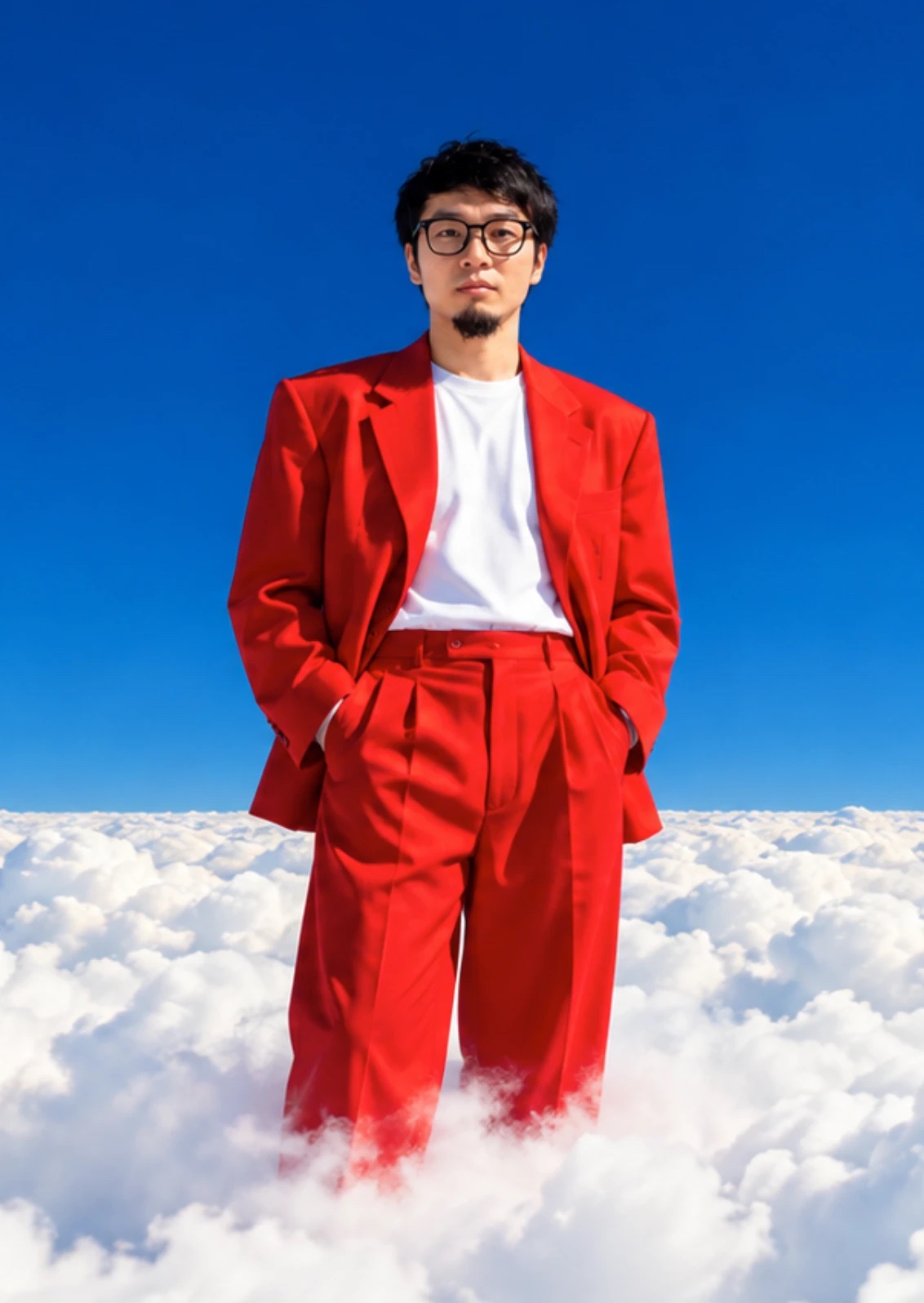
The one I picked was a real person standing on clouds, a scene that couldn't exist.
Making a still image move
I sent the concept to Claude and we split the scene into layers: moving clouds at the back, JACK MIAO in the middle, me in front, navigation and text on top.
For the character, the idea was green-screen clips of me looking up, down, left and right, switched by mouse position so it feels like I'm following your cursor. The green screen lets the person sit cleanly between the other layers.
I also wanted a transition out of the hero, as if you were dropping through the clouds and coming out underneath. I tried building the clouds in Blender first, but after several rounds they were still far from the concept. Rather than chase a paid cloud setup, I switched to video.
Claude worked out the list of assets we needed and wrote video prompts from the original concept prompt. I connected Claude to Higgsfield through its API, generated test clips, and once the direction worked, rendered the finals in 4K. Then came plenty of back and forth: fixing glitches, placing clips on the page, checking, regenerating.
Projects: falling through the sky
This section took the most attempts. A white background with projects on a rotating cylinder. A blue sky. Moving clouds. None of it felt right.
The turning point was a Pinterest image of a skydiver posed in the middle of a picture frame. That gave me a story: at the top I'm standing on clouds, you scroll down through them, and in the projects there's a figure falling through the sky.
Same workflow: prompts with Claude, footage from Higgsfield, tuning on the page. I also cut the list down to a small selection.
One part of the plan didn't happen. I meant to drop the project detail pages, and ended up keeping them. Fewer projects on the page, but you can still click through for a closer look.
Services: just say it
The goal was simple: make it obvious what I can help with. There's plenty of motion elsewhere, so here the services are just written out in plain words.
To keep the story going, I generated a version of me hanging from balloons and animated it along a path behind the text. The words explain; the character connects the section to the rest.
Blog, signup, and the last change of plan
The blog and email signup went smoothly by comparison. Claude built both, and you're reading the result.
The footer is where I changed direction one last time. My first idea was a keyboard key floating in the sky that opens the project inquiry form. Built in code, it didn't have the look. Modelled in Blender, it got closer but still wasn't right.
So I swapped it for something easier to pull off: a window floating in the sky, and through it, me at work. That closed the sequence: standing on clouds, falling through the sky, floating on balloons, and finally a view of where I work.
Behind the scenes I also upgraded the bot protection, updated the API endpoints and changed how the site deploys. You won't see those, so I'll leave them for another time.
What I took away
Some ideas made it all the way. The Blender clouds, the rotating project wall and the keyboard didn't, and each one went through several attempts first. Sometimes I changed how I was building something; sometimes I changed the idea itself.
That was the real process: make an idea real enough to look at, see how it works, and decide whether to keep going or try something else. AI makes that loop fast enough to run many times in a week.
Have a scroll from the top, and if you'd like to see what I build next, subscribe below.