
This one is a store for Tellu Hima, an incense brand. The logo, packaging and product animations, the shop, the payments and the launch: I built all of it with AI. Here's the video, or read on for the written version.
 Play video
The interesting part isn't getting a store to work. It's everything between a working store template and a website that actually feels like your brand.
What you need before you start
First, a brand name and a domain. I usually register mine with Hostinger. Then the toolkit:
- GitHub for the code
- Higgsfield for brand assets
- Claude as the main coding assistant
- Railway to host the finished site
- A PayPal Business account for payments
Why not Stripe? Stripe works fine. But it isn't available everywhere, and I wanted to show how to keep going with PayPal if it isn't an option for you. Whichever you use, check that your account supports the payments you need to accept before you build anything around it.
The brand: from smoke to an S
I started with the story and the feeling I wanted the brand to have, then had AI generate reference images and concepts to find a direction before touching the logo.
The logo came from the smoke rising off burning incense. I kept simplifying that shape until it became an S. From there I built out the rest: the main colours and how they pair, patterns for each product collection, packaging and mockups. Finally, 3D models and animations of the boxes, made to the real packaging dimensions with materials close to the real thing, so they could be used on the site.
Every asset in this phase was AI-generated. My job was to set the direction, pick what worked, and keep asking for changes.
But generating more images doesn't add up to a brand on its own. You still have to ask:
- Do these assets look like they belong together?
- Do the packaging, the colours and the website connect?
- Does a mockup that looks great still work at the actual size, in the actual material?
Those calls still take design experience. AI lets me see an idea much sooner. My part is deciding which ideas are worth taking further.
Why I built the store before designing the pages
Normally I'd design the pages first, then build. This time I flipped it, because I was starting from Payload's ready-made e-commerce framework.
If you design the pages first, or even build them, and then try to fit an existing commerce framework underneath, you end up going back and forth. Either you bend the framework's structure to save the design, or you bend the design to fit the framework.
So I had AI set up a working Payload store first and get the basic flow running. Then the design could be shaped around the store's real structure, with much less rework later.
The setup is simple:
- Create a project folder on your computer and a new repository on GitHub.
- Open Claude in that folder and send it your requirements, with the repository URL at the end.
- Be explicit: build on Payload's e-commerce framework, here's the kind of store, these are the pages, this is how ordering and the admin should work.
Then let it run. The first build takes a while.
One test order, all the way through
With the first version up, I checked the storefront and logged into the admin to make sure the pages and basic controls loaded.
Loading isn't the point, though. The real question is whether an order makes it through. I added the PayPal sandbox credentials to the project's environment file, restarted the local server, picked a product, checked out and paid with a sandbox buyer account. The payment went through, and the same order showed up in the admin.
That proves the basic flow (order, sandbox payment, order in the backend), but only in a test environment. Before taking real money you still need the live configuration and another round of checks on payments and order status.
Making it look like the brand
Now the store worked, but it looked like a template. To change that I used Claude's design tools to put together design guidelines for the site.
I gave it the project brief along with the logo, colours, product images, packaging and the rest of the brand assets. The more specific the brief, the better it uses them: which images should lead, how products are presented, what stays consistent from page to page. What came back was a design document with page references and guidelines.
I handed that to Claude Code, pointed it at the local project with the relevant files, started a new chat in the same directory, pasted in the handoff and added my own notes on what to change next.
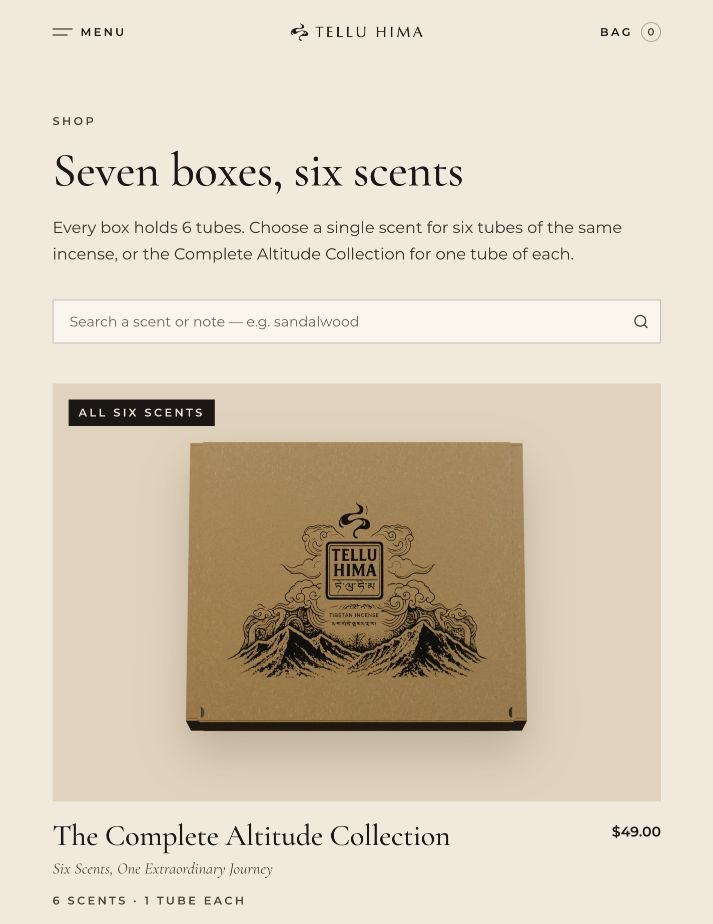
The logo, product assets and visual style were now in the pages, and the site looked nothing like the template it started from.
From a nice storefront to a store you can run
Two jobs were left: polishing the pages, and adding what you need to actually run a shop. The second list is easy to underestimate:
- Shipping countries. The framework came with a generic country list. I cut it down to the countries we can actually ship to, so nobody places an order we can't deliver.
- Email. The first version had no email service at all, so no order notifications and no password reset emails. I connected Resend for those.
- Google sign-in, to make logging in easier.
- SEO and Google Analytics, plus cookie choices so visitors can manage their preferences.
- The parts nobody sees: bot protection and locking down access to the admin panel.
None of these are exciting, but getting from a local demo to a live store means thinking through all of them.
On the design side I went through the site page by page. The guidelines set the direction, but on real pages the text, images and layout still needed tuning, so I kept reviewing and asking AI for changes until it was where I wanted it for launch.
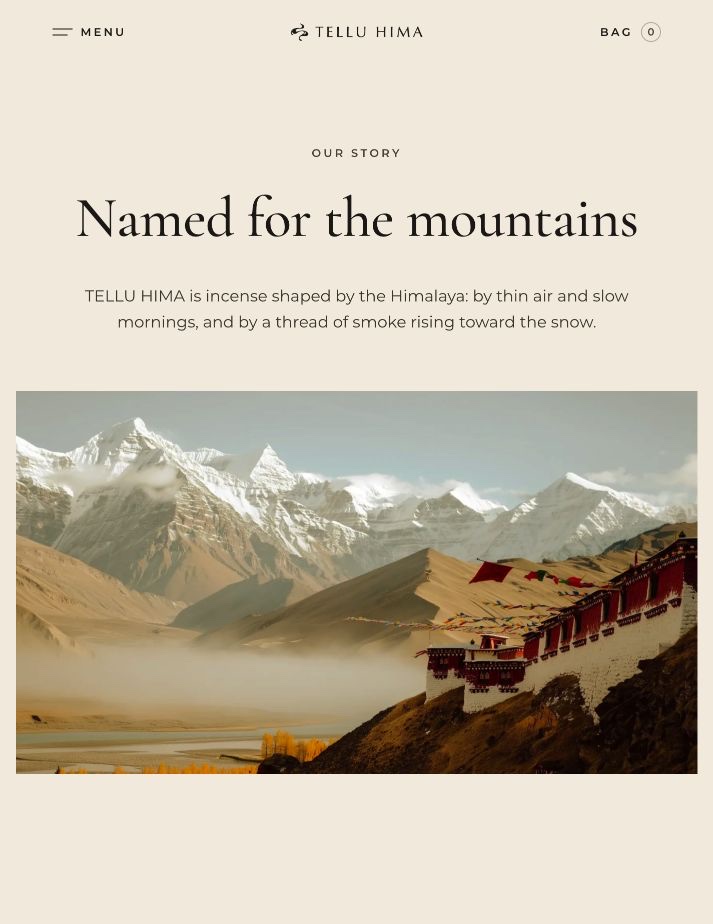
The homepage became a single full-screen view with a reworked opening animation; I removed the sections that used to sit below it. The About page got the most attention: more AI-generated images in the brand's mood, and rewritten content and layout so the story, the products and the pictures hang together.
I also had AI help test the full transaction flow. An order confirmation email arrived in a real inbox, and the matching order was in the admin. Pages, orders and email were finally connected.
Deploying to Railway
Railway has a deployment guide written for Claude. I opened it, started a new chat, gave Claude the URL and asked it to follow the guide for this project.
When it stops to ask you something, read what the choice actually is: which project, which configuration, what you need to fill in yourself. AI's recommendation is a good starting point, but it still has to match your project.
Once it's deployed you get a live URL. Go through the main pages and the ordering flow again there; working locally doesn't guarantee the deployed configuration works too. Before taking real payments, make sure PayPal is in live mode and verify the payment, the backend order and the email notification.
Last step: connect the domain you registered at the start and set up DNS as Railway tells you. Once the domain and HTTPS are live, open the site on your own domain and check it one more time.
What I'd tell you to take away
The order that worked for me:
- Settle the brand direction.
- Get the store and the payment flow working.
- Refine the design and fill in the features.
- Deploy, then check everything again.
AI can do a lot of the work at every stage. But after each one, look at the actual result. Does the design hang together? Do orders go through? Do the emails arrive? Does the live site work?
Which part would you like me to go deeper on: the brand design, building the store, or PayPal and deployment? Tell me in the YouTube comments, and subscribe below to get the next one.